Prediction Report
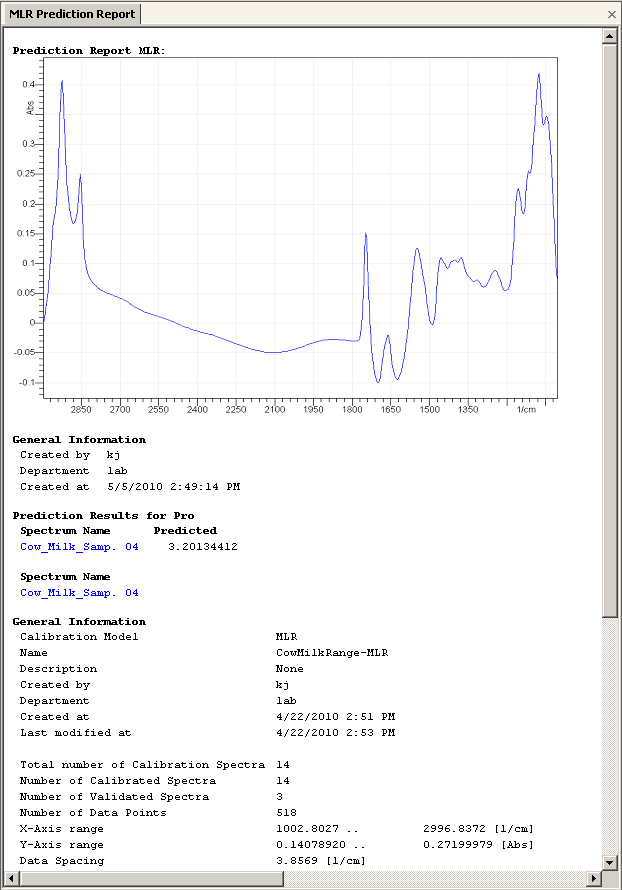
The evaluation report is shown after prediction of a sample from a univariate or multivariate calibration or calibration method. The report is displayed as tabbed window and holds all prediction results plus detailed information on used calibrations. It looks like this:
Report Contents
The evaluation result holds the evaluation results of the univariate or multivariate calibration or method. The calibrated label/property and predicted values are shown for each spectrum, along with all statistical details of the calibration model. A screenshot of the actual evaluated spectra is shown on top of the report.
It is possible to copy the report or a particular part of the report into the clipboard by selecting it and pressing CTRL-C keys.
Print Report
The report can be printed easily by clicking the Print command in the file menu.
Save Report
To save the report, choose the Save as... command from the file menu.
Alternatively the report can be added to an existing project using the Add Object to a project command in the Project menu.